01
Zone sensor
Measures air temperature in the selected zone.
Facilities teams can see equipment status, track energy use and identify alarms that need attention.
Discuss a pilot at your site ↗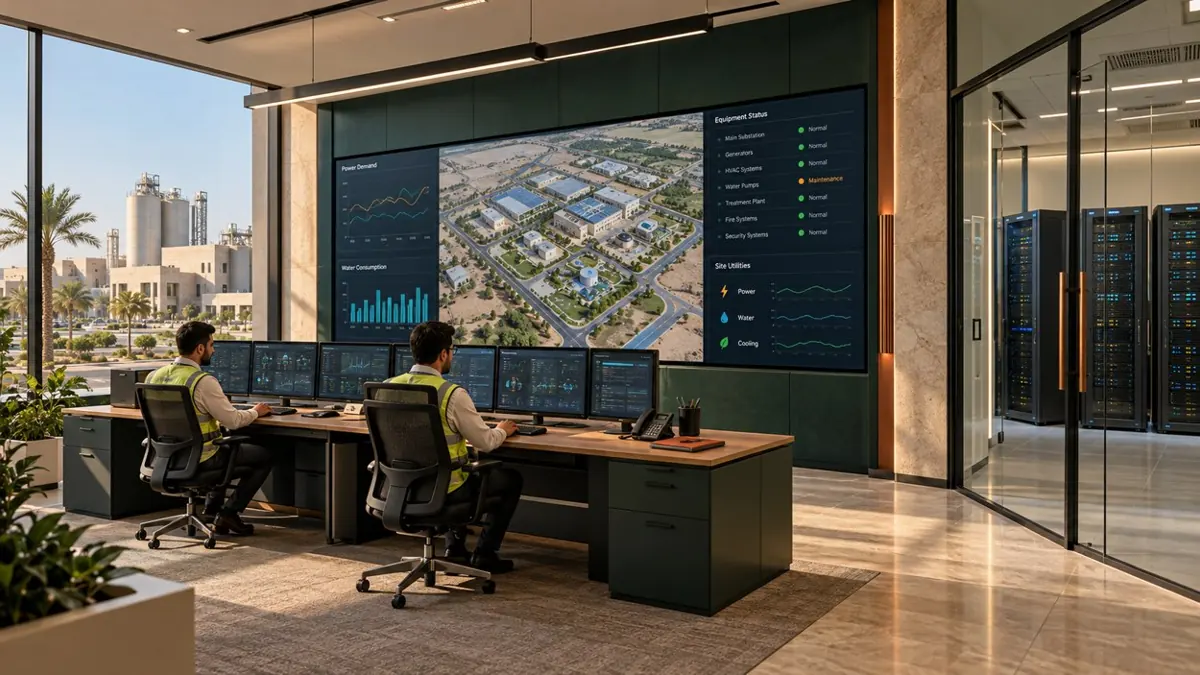
The sensor detects a temperature above the agreed threshold. The controller applies the configured alarm delay and control rules. The supervisor identifies the zone and follows the facilities team’s response procedure. The team uses temperature trends and meter readings to investigate the cause and verify the outcome.
Compare the temperature trend and meter readings before and after the intervention to check its effect.
Reference design for one cooling zone and its energy meter.
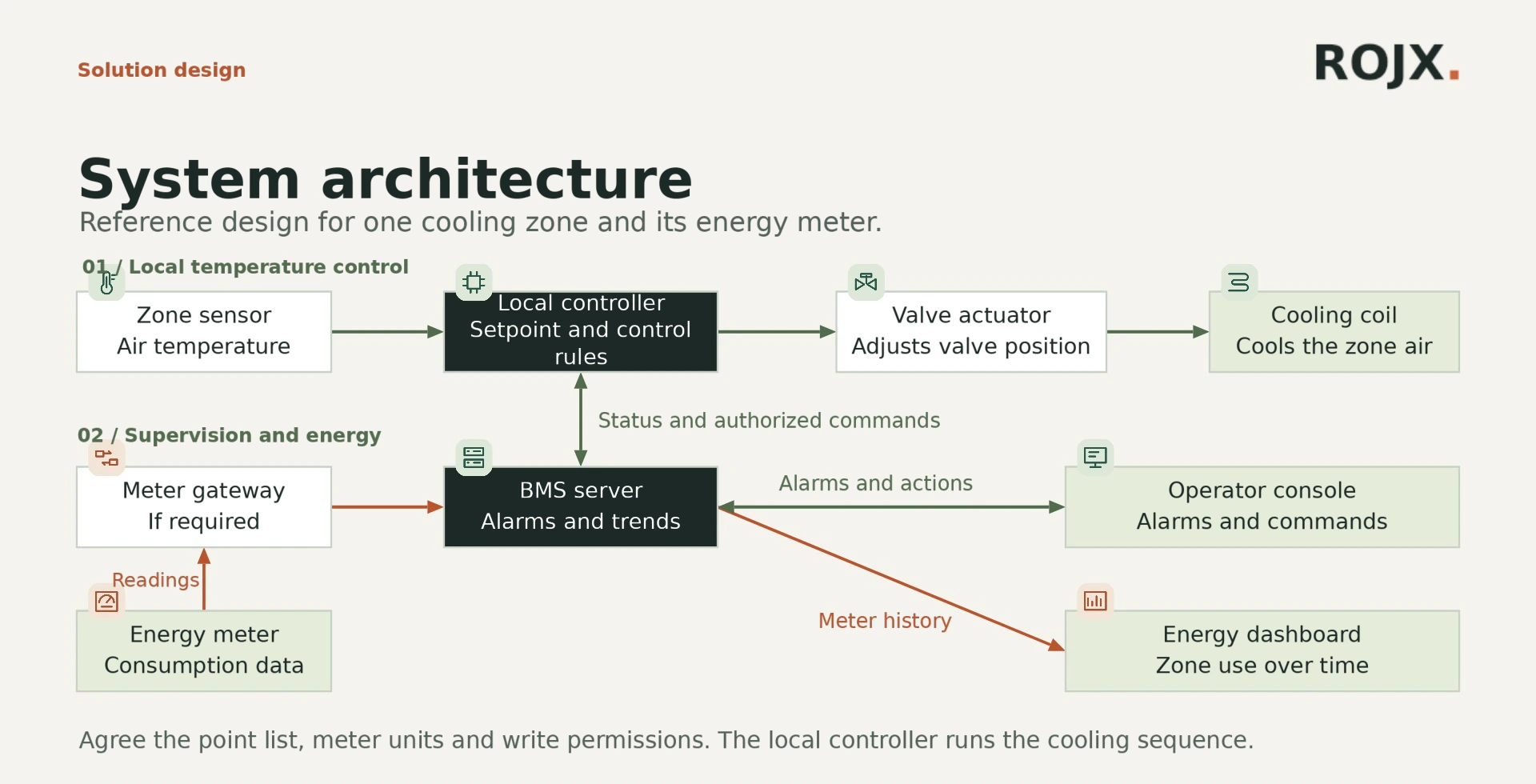
Measures air temperature in the selected zone.
Compares temperature with the setpoint and adjusts its output.
Positions the valve on the controller’s command.
Transfers heat from the air to chilled water.
Records consumption for the equipment or zone.
Translates meter data when protocols differ.
Stores readings, generates alarms and displays trends.
Displays events and allows authorized adjustments.
Compares usage with occupancy and operating hours.
Bring a plant schematic, meter schedule and building operating hours.
Discuss a pilot at your site ↗The local controller compares zone temperature with the setpoint and commands the valve actuator. Facilities staff review readings and alarms at the operator console.
Compare similar periods and account for weather, occupancy and operating hours before attributing a change to an intervention.
Equipment drawings, approved setpoints, read and write permissions, and supported protocols.